Printing a Logo on Butcher Paper: Inks, Colors and Artwork
By the team at Shop Butcher Paper ·
Butcher paper is absorbent, uncoated stock, and that changes how a logo should be drawn, colored and spaced. This guide covers the inks, the color choices by paper, the files to send and what shifts between the proof and the press.

What inks go on butcher paper that touches food?
We print with food-safe soy and water-based inks. They soak into the fiber rather than sitting on the surface as a film. That is what you want on a sheet that will wrap a hot sandwich or a sliced brisket.
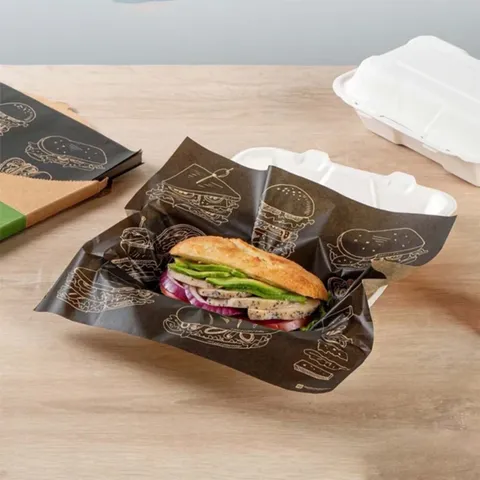
Because the ink is in the fiber, it does not flake or rub off onto meat. It also means the printed side can face the food, though most buyers keep the logo on the outside so it reads on the counter.
The ink type is written on the quote and on the proof, so the record travels with the order if anyone asks for it later.
How many colors should a logo use on butcher paper?
The press runs 1 to 4 colors. Most logos on butcher paper look best at one. A single dark ink on kraft or pink is clean, costs the least and never goes out of register.
Two colors work when both are strong: black and red on white, or black and a deep brown on kraft. Four-color process is for photographic art or a logo built from blends, and it belongs on white stock where the base does not tint the halftones.
Count colors the way the press does. A black logo with a red dot is two colors. A black logo with a 50 percent gray screen is still one color, because the screen is the same ink printed as dots.
Our rule of thumb at the proof stage: print one color on kraft; two looks muddy. Save the full palette for white.
Pantone matches on white butcher paper
White stock gives the truest Pantone solid coated match. There is no base tint under the ink, so a specified red or blue lands where the swatch book says it should. Allow for the normal shift of an absorbent sheet.
Send the Pantone number with the artwork. If your brand only has a CMYK or hex value, we convert it to the nearest solid coated reference and show that on the proof. Uncoated paper always reads a little softer than the coated swatch, so expect a touch less gloss and saturation.
The white butcher paper color page explains which white products are uncoated and which can be waxed, because the finish affects the print.
Dark one-color printing on pink and kraft
Pink and kraft are tinted sheets, and every ink mixes with the tint. Yellow on kraft comes out olive. Light blue on pink goes toward gray. White ink on either looks thin and patchy because the stock shows through.
So go dark. Black is the safe choice on both. Deep brown on kraft is close to tone-on-tone and looks like a stamp. Dark red or navy reads on pink. Keep the mark bold: a hairline script that looks fine on screen fills in on a fibrous sheet.
If the brand color is light and cannot change, reverse it. Print a solid dark block and let the paper show through as the mark. On kraft the logo then reads tan on brown, which looks intentional and costs one ink.
- Kraft: black, dark brown, deep red, forest green
- Pink: black, navy, dark red, charcoal
- Avoid on both: white, yellow, pastels, metallic looks, gradients
Single logo or repeat pattern?
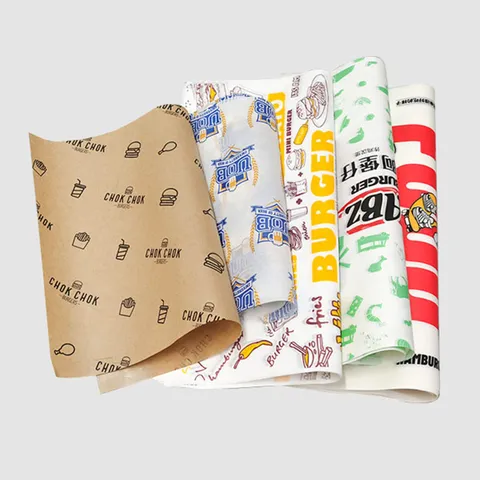
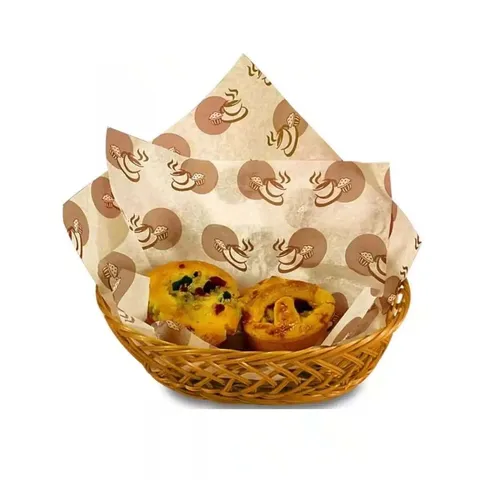
A single logo sits once per sheet, usually in a corner or centered. It only works on pre-cut sheets where the position is fixed. A repeat pattern runs the logo across the whole web at a set spacing. It works on rolls, on any sheet size and on paper that gets torn by hand.
Spacing is the decision. Too tight and the paper looks busy; too loose and a small sheet shows half a logo. The table gives spacings that put at least one full mark on the smallest sheet you cut.
| Sheet or cut size | Logo width | Repeat spacing | Marks per sheet |
|---|---|---|---|
| 8 x 11 in steak paper | 1.5 in | Every 4 in, staggered | About 4 |
| 12 x 12 in wrap | 2 in | Every 5 in, staggered | About 5 |
| 15 x 20 in deli wrap | 2.5 in | Every 6 in, straight | About 8 |
| 18 x 24 in BBQ sheet | 3 in | Every 8 in, straight | About 6 |
| 24 in roll, torn to length | 3 in | Every 8 in, staggered | Varies with the tear |
Staggered means each row is offset half a step, like bricks. It hides the grid when the sheet is crumpled around a sandwich.
Which artwork files do you need?
Send a vector file. AI, EPS, PDF or SVG with the fonts converted to outlines all work. A vector scales to a 1.5 in mark or a 6 in mark with the same clean edge.
A PNG or JPG of a logo pulled from a website is usually too small. We can redraw a simple mark from a raster file, but the proof will take a day longer and the edges may differ from your original. Where the brand already has a vector, use it.
- Vector format: AI, EPS, PDF or SVG
- Fonts outlined, or the font files attached
- Lines no thinner than 1 pt, text no smaller than 8 pt
- Colors as Pantone solid coated numbers where they matter
- No white or very pale elements on pink or kraft stock
How does the free proof work?
Every printed job gets a design proof before it runs, at no charge. We place your logo on a drawing of the sheet or roll width you ordered, in the ink and spacing agreed, and send it by email.
Edits are unlimited. Move the mark, change the spacing, swap black for dark brown, try a stagger. Each round comes back as a fresh proof. Nothing prints until you reply with an approval, and the 4 to 6 business day production clock starts on that reply.
The proof also fixes the facts that are easy to miss by email: which side prints, which way the repeat runs on a roll, and whether the logo sits upright when the sheet is torn toward the customer.
You can see the mark on real paper before you ask for a quote. Design Your Butcher Paper drops a logo onto product photos at the size you choose.
What changes between the proof and the press?
The proof is a screen image on a white background. Paper is not a screen. Three things shift, all within normal trade tolerance.
Ink spread. Absorbent paper lets the ink creep a fraction into the fiber, so fine detail fattens slightly and very small reversed-out text can close up. That is why the 1 pt line and 8 pt text limits exist.
Base tint. On pink and kraft the stock color mixes with the ink. A black stays black; a dark red shifts warmer. Registration. On two-color work the second ink may sit a hair off the first. Keep tight-fitting colors apart by a small gap or trap them on purpose.
Rolls and sheets behave the same on press, since sheets are cut from the printed web afterward. The one difference is trim: a single logo on a sheet is placed to the cut, while a repeat simply runs through.
From artwork to delivered cartons in seven steps
- Pick the paper and size: a roll width, or a sheet size such as 18 x 24 in.
- Send the vector logo, the ink count and any Pantone numbers with the quote request.
- Receive the written quote within one business day and accept it.
- Review the free proof, ask for as many edits as you like, then approve it by email.
- Production runs 4 to 6 business days after the approval.
- Free tracked shipping follows, 2 to 3 business days to any US address.
- Check the cartons on arrival. Any misprint or damage reported within 10 days with photos is reprinted or refunded.
Which printed butcher paper should you start with?
Pre-cut sheets at 12 x 12 in or 18 x 24 in are the easiest first run. The position is fixed, the count is easy, and the minimum is 1,000 sheets. Rolls suit a counter that tears to length all day.
The custom printed butcher paper page lists the typical sizes in each color. A sandwich counter picks the smaller sheets, a smokehouse the larger, and a butcher shop usually wants a printed roll for the counter.
Papers in this guide
Questions about this guide
Are the inks used to print a logo on butcher paper safe for food contact?
Yes. We print with food-safe soy and water-based inks that soak into the fiber instead of forming a film on top.
How many ink colors can a butcher paper logo have?
One to four. One dark color is the usual choice on pink and kraft, and full four-color work belongs on white stock.
Can you match my Pantone color when printing a logo on butcher paper?
On white, yes, to a solid coated reference within the shift of an uncoated sheet. On pink or kraft the base tint changes the ink, so choose dark colors.
Why does my yellow logo look olive on kraft butcher paper?
Kraft is a tan sheet and the ink mixes with it. Light colors go muddy on kraft and on pink; black or dark brown stay true.
What file format do you need to print a logo on butcher paper?
A vector file: AI, EPS, PDF or SVG with fonts outlined. A small PNG or JPG can be redrawn, but it adds a day to the proof.
How far apart should a repeat logo sit on butcher paper?
Roughly 4 to 8 in, depending on the smallest sheet you cut. The goal is at least one full mark on every sheet.
Is the design proof for printed butcher paper really free?
Yes, and so are the edits. Nothing prints until you approve a proof by email, and there is no charge for the rounds before that.
Can a logo print on both sides of butcher paper?
It can, but most buyers print one side and keep the logo facing out. Ask on the quote if you want two-sided.
Will my printed logo look exactly like the proof?
Close, not identical. Expect a little ink spread on absorbent paper and a slight shift on pink or kraft from the base tint.
Can I print a logo on butcher paper rolls as well as sheets?
Yes. Rolls take a repeat pattern so the mark shows at any tear length. The printed meat counter paper rolls are built for that.
Something else? Ask us on WhatsApp or call (503) 461-4788.
Tell us what you wrap
Send the paper, a size and a quantity, plus a logo if you have one. We reply in writing within one business day with a price and, for printed paper, a free design proof. Prefer to talk? Call (503) 461-4788 or message us on WhatsApp.